
Walk the unit the way inspectors actually walk it.
NSPIREos is a phone-first inspection app for Housing Choice Voucher and Project-Based Voucher programs. Room by room, tap only what is wrong, take the photo, and finalize. The complete NSPIRE-V record, the report, the email, the correction tracking and the work order all come out of that one walk. It works with no signal and sends itself when signal returns.
HUD's checklist, verbatim: 63 components, 206 deficiency lines, HUD's own severities. Blank means pass.
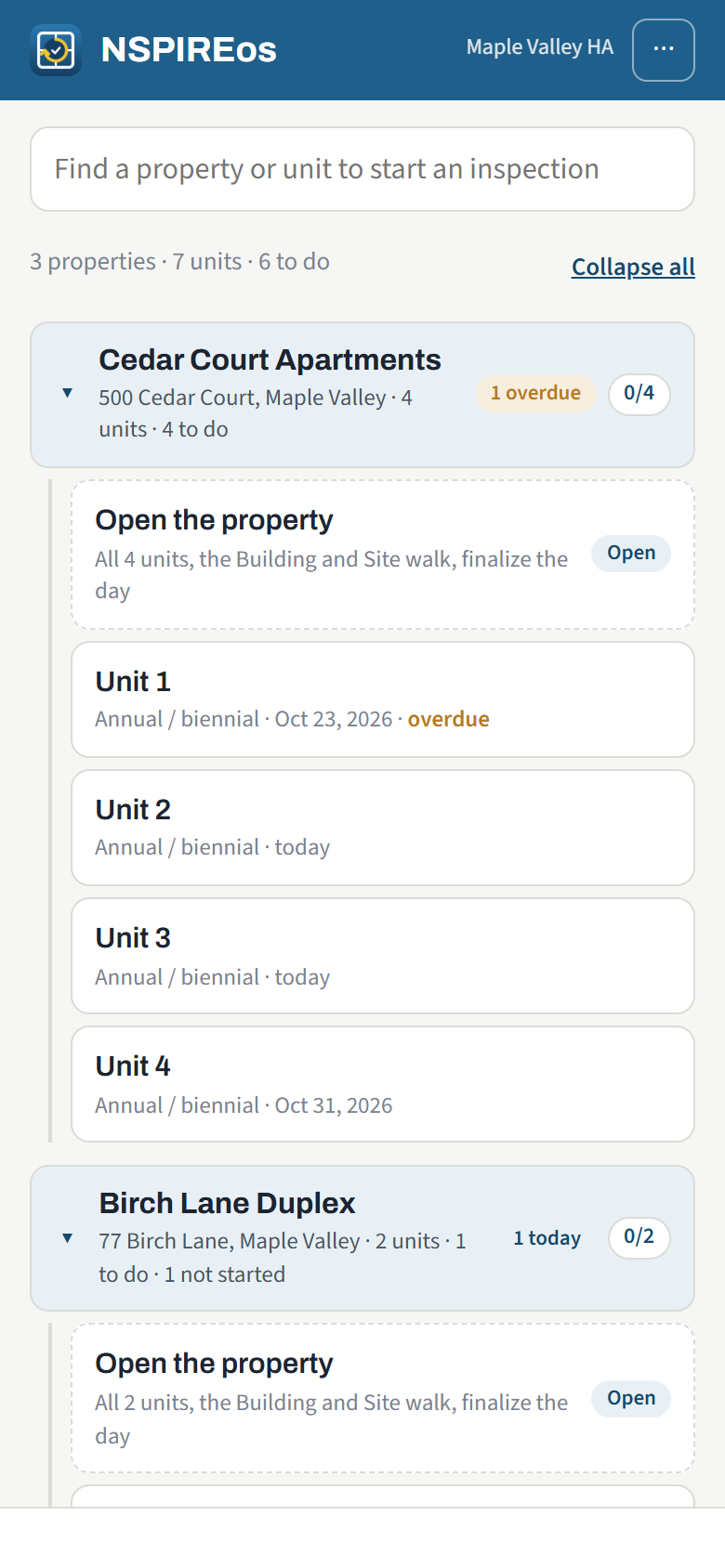
Three steps, one walk
Nothing to learn beyond the room you are standing in. The app knows which HUD lines belong in a kitchen, a hallway or the grounds, and it never asks the inspector to pick a severity.
Bring in your units
Import the spreadsheet you already have. Properties, buildings, floors, units, bedrooms, bathrooms, levels, tenants, managers, owners and due dates. Schedule from due dates in one click, or let inspectors start a unit on the spot.
Walk the unit
Entry and living, kitchen, hall, each bedroom and bathroom, stairs on a two-level unit, the unit's mechanical closet. Tap a room, see only its lines, tap what fails, add a photo and a comment, mark the room done. Anything left blank is a pass.
Finalize
Pass or fail by HUD's rule: Life-Threatening, Severe and Moderate fail the unit, Low is noted. The three-part report builds itself and goes to the office, the manager and, if you choose, the tenant. Correction deadlines start. Work orders go to the crew.
The date voucher programs move to NSPIRE-V. HUD set it in the Federal Register on September 30, 2025, the third extension of the voucher compliance date. HUD does not provide inspection software for it. Agencies may adopt NSPIRE-V early, and many are using the time to get their inspectors fluent before HQS ends.
Sources: Federal Register notice · HUD NSPIRE notices
Built for the field, not for the form
- Works without signal. The checklist, the unit list and every inspection in progress live on the phone. Finalize in a basement; the report sends from the parking lot.
- The walk fits the unit. A 2-bedroom, 1-bath, two-level unit gets exactly those rooms and its stairs, from the unit record. The inspector corrects the record on the spot if it is wrong.
- HUD's columns decide where a line can be cited. Unit lines in rooms, Inside lines in common areas, Outside lines on the exterior and grounds. The severity comes with the line.
- Photos and comments where they belong. On the room, on the finding, with an in-app camera that keeps shooting until you are done.
- Signatures on the device or by link. Inspector, tenant, owner or manager, whichever lines your agency turns on.
- Re-inspections carry only what failed. The inspector marks each carried deficiency corrected or still failing; new findings can be added.
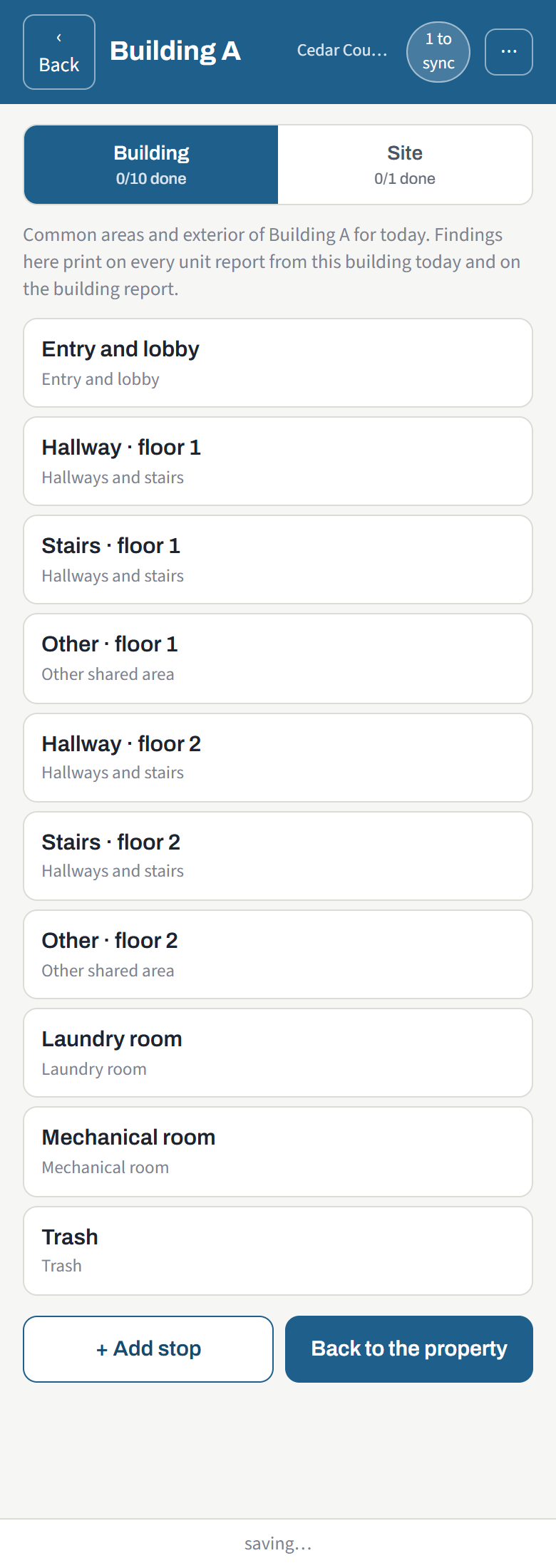
Properties with many buildings
A property can be one house, six stand-alone units, or a hundred units on several floors of one building, plus a laundry, an office or a pool house. NSPIREos keeps them straight.
- Each building walks its own common areas and its own exterior, once per day, and gets its own report.
- The grounds the buildings share are walked once per property. A stand-alone unit can have its own grounds when that is how the site works.
- Hallway, stairs and "other" stops are made per floor from the building's floor count. Inspectors add stops and buildings on site when the list is wrong.
- A unit fails on its own findings, its building's shared findings and the property's grounds findings, exactly as HUD's "areas associated with the unit" reads.
- Finalize one building at a time or the whole day; one email per recipient carries every report.
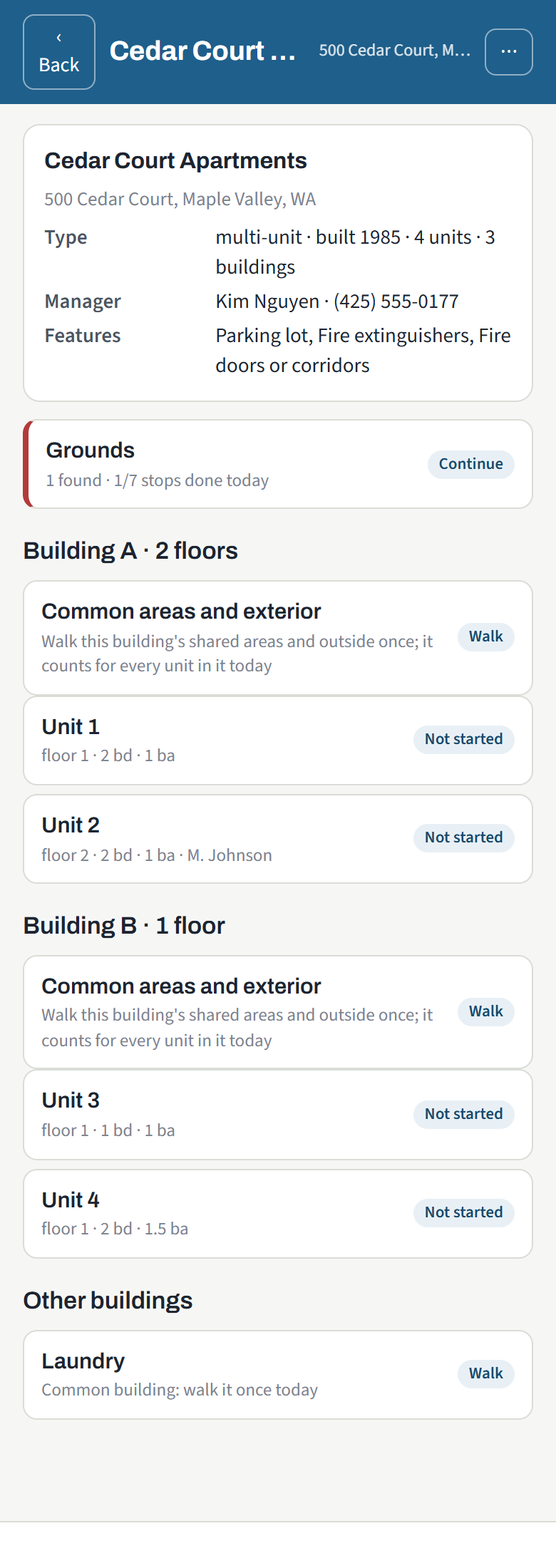
From finding to fixed
Correction tracking is one switch. When it is on, every failing finding gets its deadline at finalize, 24 hours for Life-Threatening, 30 days for Severe and Moderate, and the inspection moves through Corrections open, Reported corrected, Re-inspection scheduled and Verified corrected.
The property manager's page
Owners and managers get a link, no password, scoped to their own properties. They open each report, mark a deficiency corrected with a photo, and sign the report from the link. The office sees it and schedules the re-inspection.
The office dashboard
Units due this month, past due with nothing scheduled, corrections open, past the correction deadline, reported and waiting for re-inspection, inspector workload, pass rate by manager. Every number opens its list and every list exports.
Reports your way
Agency logo and letterhead, your own sentences under the result, the optional HUD-format checklist attached to every email, the tenant copy, building and grounds reports, re-send from history to any address.
Work orders for agencies that fix their own units
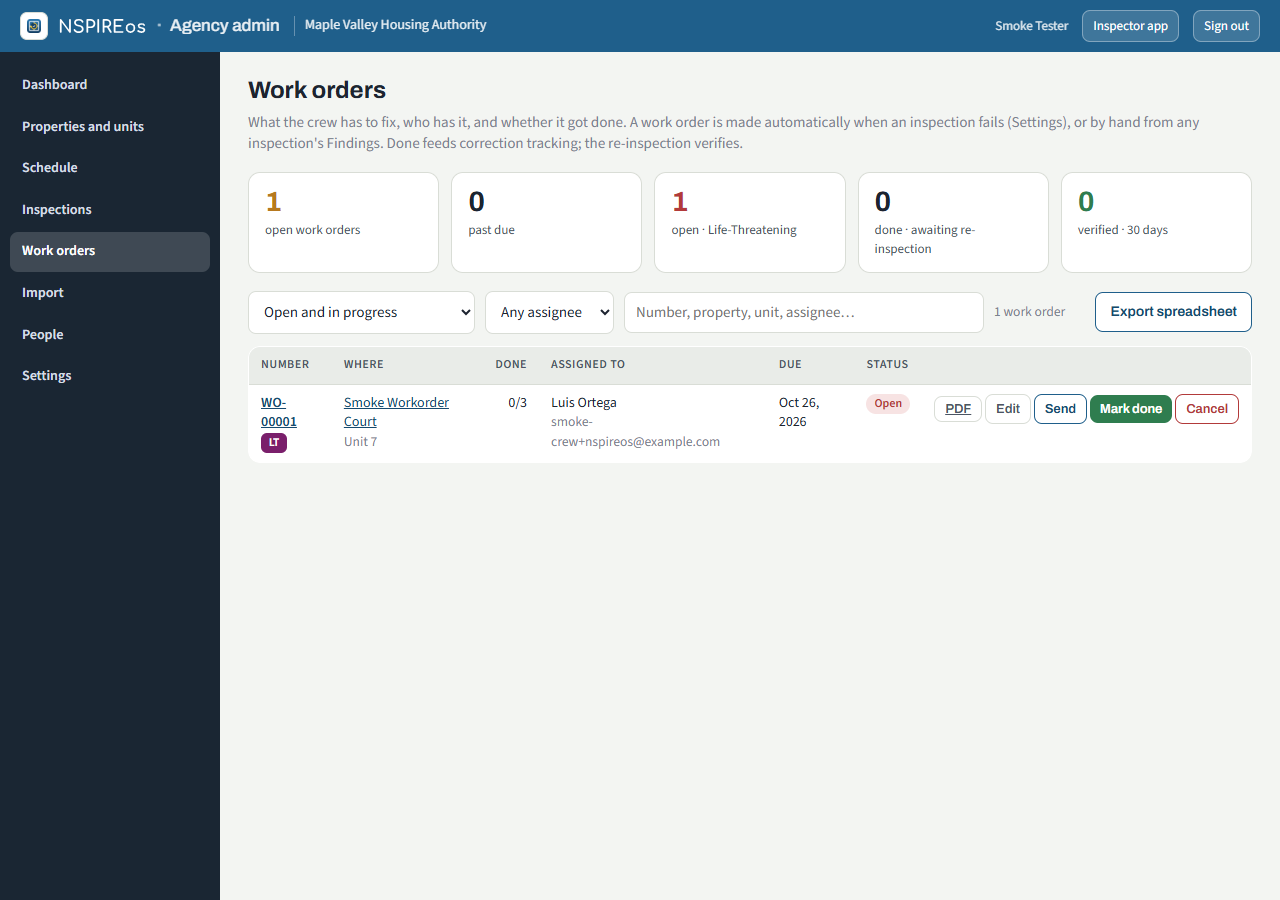
For housing authorities that manage and maintain their own sites. A failing inspection becomes a numbered work order for the crew, automatically or by hand, with the deficiency wording, the photos, the inspector's comment and the due date. No cost or labor tracking to fill in, just who has it and whether it got done.
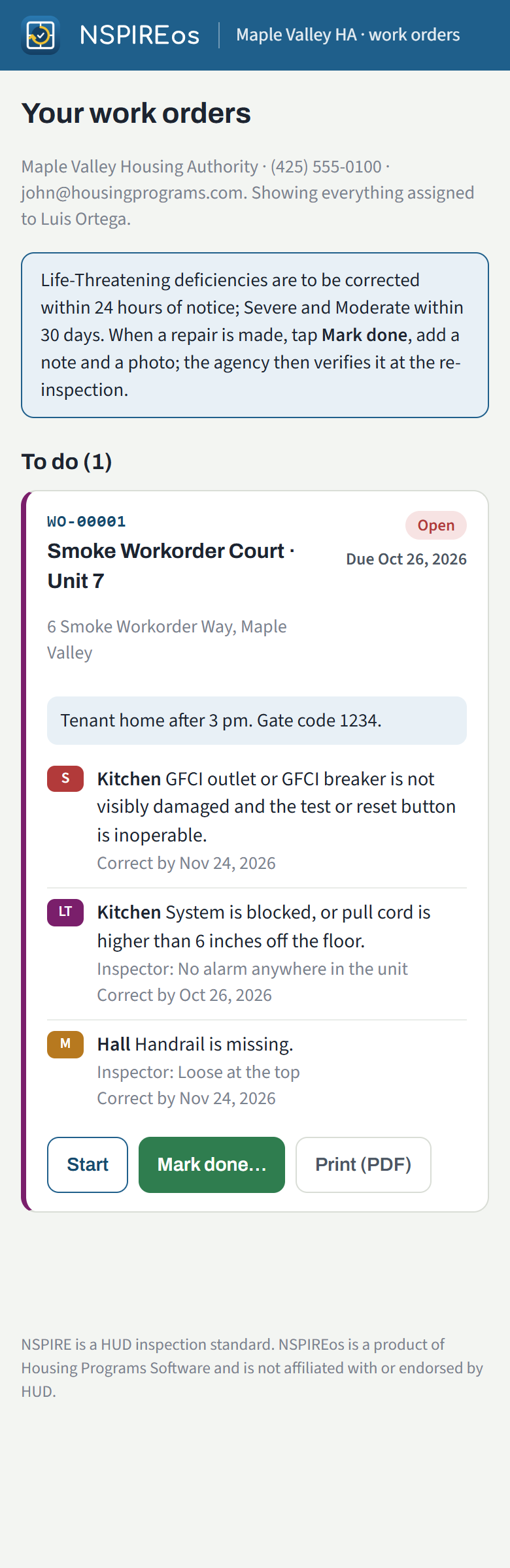
- The crew works from a link. Their open work orders on a phone, Start, Mark done with a note and a photo of the repair, Print. No app to install, no password.
- Done feeds the tracking. Marking a repair done reports the finding corrected; the re-inspection verifies it. Still failing at re-inspection reopens the work order.
- The office sees everything. Open, past due, done and awaiting re-inspection, verified. Filter by assignee or building, export to a spreadsheet, print the one-page PDF, send it again.
- Outside vendors too. Assign to anyone by email; they get the same page.
Who it is for
Voucher agencies
Housing Choice Voucher, Project-Based Voucher and Mod Rehab programs moving from HQS to NSPIRE-V. Your own inspectors, pass or fail per unit, every report in one place.
Agencies that own and maintain sites
Buildings, floors, grounds, crews and work orders are built in, because the inspection does not end when the report is emailed.
One agency or a dozen
Each agency has its own settings, people, branding and data. Inspectors who work for more than one switch between them in the app.
See a unit walked in ten minutes
We will walk a unit with you on a phone, show the report it produces, and set up your agency with your own units the same day.
Ask for a demoAlready set up? Staff sign-in · Agency admin